

Learn the 20-20-20 rule and basic screen habits often suggested in ergonomics education — not a substitute for professional eye care.
Computer vision syndrome — the cluster of discomfort associated with prolonged screen use — is reported by many desk workers. Symptoms include dry eyes, blurred vision, headaches, and neck tension. These issues arise from a combination of reduced blink rate, sustained near-focus effort, poor lighting contrast, and static head positioning.
When you read on a screen, your blink rate drops from roughly 15–20 times per minute to about 5–7. Each blink spreads a fresh tear film across the eye surface. Fewer blinks mean faster evaporation and that characteristic gritty feeling by late afternoon. Near-focus work keeps the ciliary muscles contracted continuously, much like holding a light weight at arm's length for hours.
Active break programs create natural opportunities to interrupt these patterns. Pairing physical movement with deliberate eye rest addresses two root causes of screen fatigue simultaneously.
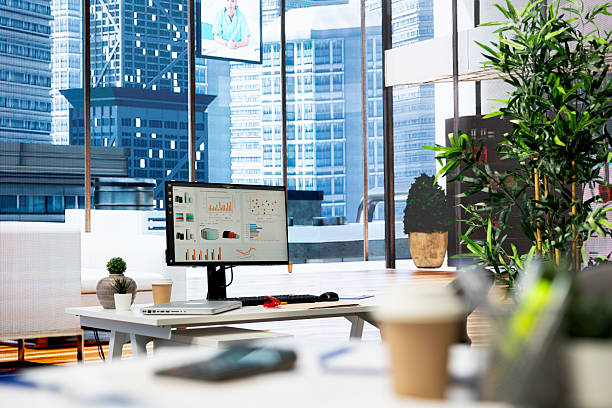
A straightforward protocol endorsed by eye care professionals worldwide.
Every 20 minutes, look at something at least 20 feet (about 6 meters) away for at least 20 seconds. This gives your ciliary muscles time to relax from near-focus contraction. Distance viewing shifts the optical demand from the internal focusing mechanism to your distance vision pathway, which requires less muscular effort.
Twenty seconds is longer than it sounds. Set a timer initially until the habit becomes automatic. Combine the eye rest with standing up — walk to a window, focus on a tree or building across the street, and consciously blink ten to fifteen times before returning to your desk.
Position your screen one arm's length away. The top of the monitor should sit at or slightly below eye level so you gaze downward about 10–15 degrees. This reduces exposed corneal surface area and lowers eyelid tension.
Match screen brightness to ambient room light. A screen that glows brightly in a dim room forces your pupils to compensate constantly. Use bias lighting behind monitors and reduce overhead glare with blinds or diffusers.
Increase font size until you can read comfortably without leaning forward. High-contrast themes reduce the fine-focus effort required for extended reading. Dark mode can help in low-light environments but is not universally better — personal comfort is the guide.
Combine the 20-20-20 rule with scheduled movement for comprehensive screen-work comfort.
Back to Home Overview Contact Us